

Nov 19, 2025
How to Fix a Microwave That Is Not Heating
It's a frustrating moment: the microwave runs, the light is on, but your food is still cold. This comprehensive guide will walk you through the most common reasons your microwave isn't heating and provide simple, step-by-step DIY fixes you can try before calling a professional.
It’s a scenario we’ve all experienced. You place your leftovers in the microwave, set the timer, and press start. You hear the familiar hum, the turntable spins, and the light comes on. But when the timer beeps, you open the door to find your food is just as cold as when you put it in. A microwave that runs but doesn't heat is one of the most common—and frustrating—kitchen appliance issues.
Looking for more guidance? Take a look at our Repairs overview.
Before you start pricing out new models or scheduling a costly repair, the good news is that the fix is often simpler than you think. Many causes of a non-heating microwave can be diagnosed and resolved with a few easy troubleshooting steps.
In this guide, we’ll walk you through the process of figuring out why your microwave isn’t heating up, just like we’re on the phone with you. We’ll start with the simplest checks and work our way through the potential culprits, helping you get your trusty appliance back to warming up your coffee and cooking your popcorn in no time.
Why Is My Microwave Not Heating? The Common Suspects
A microwave is a complex piece of equipment, but the reasons it stops heating usually boil down to a handful of issues. Here are the most frequent causes:
- A Tripped Circuit Breaker: The microwave might not be getting the power it needs to operate correctly.
- A Faulty Door Switch: For safety, microwaves won't heat if the door isn’t securely closed. A broken latch or switch can prevent it from starting the heating process.
- An Error Code: Modern microwaves often have self-diagnostic systems that will display an error code to tell you what's wrong.
- Internal Component Failure: This is the more serious category. The problem could be a blown high-voltage diode, a failed capacitor, or the most well-known culprit: a burned-out magnetron. The magnetron is the component that actually generates the microwaves that heat your food.
Ready to play detective? Let's figure this out together.
Step-by-Step Guide to Fix a Microwave That Won't Heat
We’ll start with the basics. The very first step is to determine if your microwave is getting any power at all.
Step 1: The Initial Power Check
Let's see if there are any signs of life.
- Open the microwave door. Does the interior light turn on?
- Close the door. Is the control display lit up? Can you see the clock or any other numbers?
If the answer to both of these questions is NO—the light is off and the display is blank—then you likely have a power issue. You can skip ahead to the section "What to Do When There’s No Power."
If the answer is YES—the light and display are working, but the microwave just isn't heating—then it's receiving power, and the problem lies elsewhere. Let’s move on to the next step.

Step 2: Look for Clues on the Display
If your microwave has power, the next place to look for answers is the control panel itself.
- Check for Error Codes: Look closely at the display. Do you see any blinking letters, numbers, or symbols that seem out of the ordinary? Sometimes, an error code will appear after a failed heating attempt.
- Consult Your Manual: If you see a code, write it down and check your microwave’s user manual. The manual will have a troubleshooting section that explains what each code means and suggests solutions. If you can't find your physical manual, a quick search online for your microwave's model number followed by "error codes" will usually bring up a digital version.
If you find an error code that points to a serious internal failure, or you can’t find information on it, it’s best to contact the manufacturer or a qualified appliance repair technician.
If there are no error codes, it's time to test the most common mechanical failure point: the door.
Step 3: Perform a Door and Heating Test
Your microwave has several safety switches inside the door latch mechanism. If even one of these isn't engaged, the microwave will run (turntable, fan, light) but the magnetron will not activate to produce heat.
- Inspect the Door Latch: Open the door and look at the plastic hooks or latches on the door itself. Make sure they aren't cracked or broken. Check the area on the microwave frame where they connect.
- Clean the Door Gasket: Wipe down the inside edge of the door and the frame with a damp cloth to remove any food debris that might be preventing a tight seal.
- Perform the Water Test: This is the definitive test to see if your microwave is heating.
- Fill a microwave-safe mug with about one cup of water.
- Place it in the center of the microwave.
- Close the door firmly, listening for a solid "click" to ensure it's latched.
- Set the microwave to high power for one minute and press start.
- Listen carefully. You should hear the typical low hum of the microwave operating.
- Check the Results: When the minute is up, carefully remove the mug. Is the water hot?
If the water is hot, fantastic! The issue was likely a door that wasn't fully latched or a temporary glitch. If the water is still cold, the problem is likely internal, and you should proceed to the section on "When to Call a Professional."
Step 4: What to Do When There’s No Power
If your initial check in Step 1 revealed a completely dead microwave (no light, no display), the problem is almost certainly electrical. Here’s how to trace it.
First, is your microwave a countertop model with a visible plug, or an over-the-range model that's built-in?
For Countertop Microwaves: Test the Outlet
- Carefully unplug the microwave from the wall outlet.
- To check if the outlet is working, plug something else into it that you know works, like a lamp or a phone charger.
- Did the lamp turn on?
- If YES: The outlet is fine, which unfortunately means your microwave has an internal electrical problem, like a blown fuse or a fried control board. This is a job for a professional.
- If NO: The outlet is dead. The most likely cause is a tripped circuit breaker. Proceed to the next step.
For All Microwaves: Reset the Circuit Breaker
A microwave is a high-power appliance and can sometimes trip its circuit breaker, especially if other appliances on the same circuit are running.
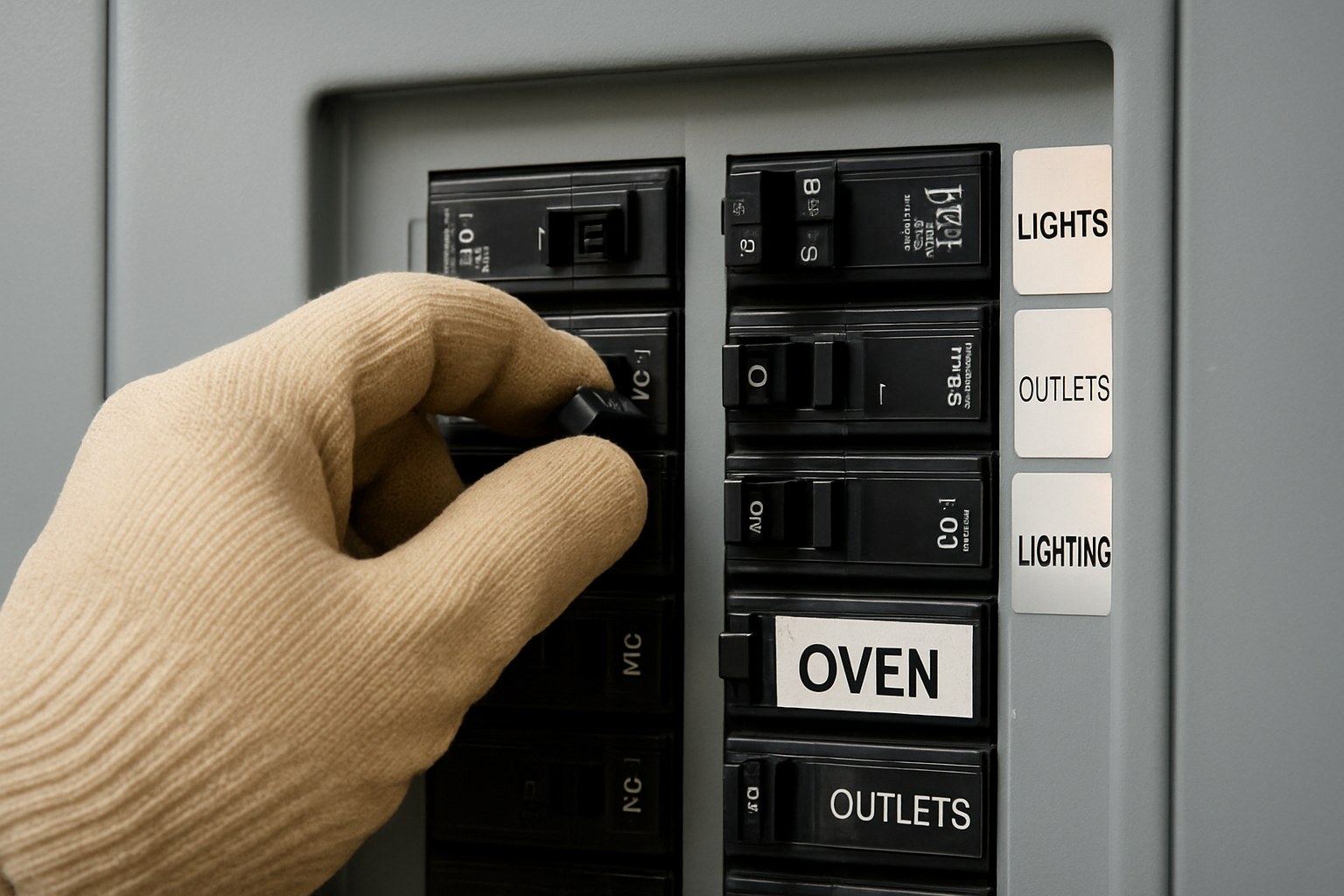
- Locate Your Electrical Panel: This is usually in a basement, garage, utility closet, or hallway.
- Find the Right Breaker: Look for the circuit breaker labeled "Microwave," "Kitchen," or "Kitchen Appliances."
- Reset the Breaker: The tripped breaker will likely be in the middle position or shifted slightly toward "OFF." To reset it, you must first flip it completely to the "OFF" position, then flip it firmly back to the "ON" position.
- Test the Microwave: Go back to the kitchen. If it's a countertop model, plug it back in. The display should light up. Now, perform the water test described in Step 3 to see if it heats.
If resetting the breaker restored power and your microwave is now heating, you've solved the problem! If the breaker trips again immediately, you may have a bigger electrical issue and should call an electrician. If the microwave still has no power or won't heat after the reset, it’s time to call in an expert.
When to Call a Professional
While many microwave issues are simple fixes, some problems require an expert. According to Forbes, the average cost to repair a microwave is around $150, but it can range from $50 to $400 depending on the problem.
It's time to call an appliance repair technician if:
- You've confirmed the outlet works, but the microwave is completely dead.
- The microwave runs (light, fan, turntable) but doesn't heat water after you've checked the door latch. This often points to a failed magnetron or capacitor.
- The circuit breaker keeps tripping as soon as you try to use the microwave.
- You hear loud, unusual buzzing or grinding noises during operation.
A Critical Safety Warning: Never attempt to disassemble your microwave to repair internal components yourself. Microwaves contain a high-voltage capacitor that can store a lethal electrical charge for hours or even days after being unplugged. This is a job strictly for trained professionals.
Final Thoughts
Dealing with a microwave that won't heat can disrupt your daily routine, but with a logical approach, you can often diagnose the problem yourself. By checking the power, inspecting the door, and resetting the breaker, you can solve the most common issues without spending a dime.
For those trickier problems, or for any home maintenance task that feels out of your league, help is just a tap away. Download the Casa app today! Our app provides easy-to-follow guides for hundreds of DIY home repairs and can connect you with vetted, reliable professionals when you need one. Take control of your home maintenance with Casa.