

Jan 23, 2026
How to Fix a Microwave Turntable That Is Not Spinning
A microwave turntable that won't turn can cause unevenly cooked food. This guide walks through simple fixes, from checking settings to cleaning and replacing parts.
When your microwave turntable stops spinning, it’s easy to assume a major component has failed. More often than not, however, the cause is simple and something you can fix yourself in just a few minutes. A rotating plate is key to heating your food evenly, so it’s a problem worth solving.
Looking for more guidance? Take a look at our Repairs overview.
This is a very common issue, and it doesn't always mean you need a new microwave. Usually, the culprit is a wrong setting, a bit of food debris, or a misaligned part.
In this guide, we'll walk you through the steps to diagnose and fix a turntable that won’t rotate. We’ll start with the simplest solutions and help you determine if it’s time to call a professional.
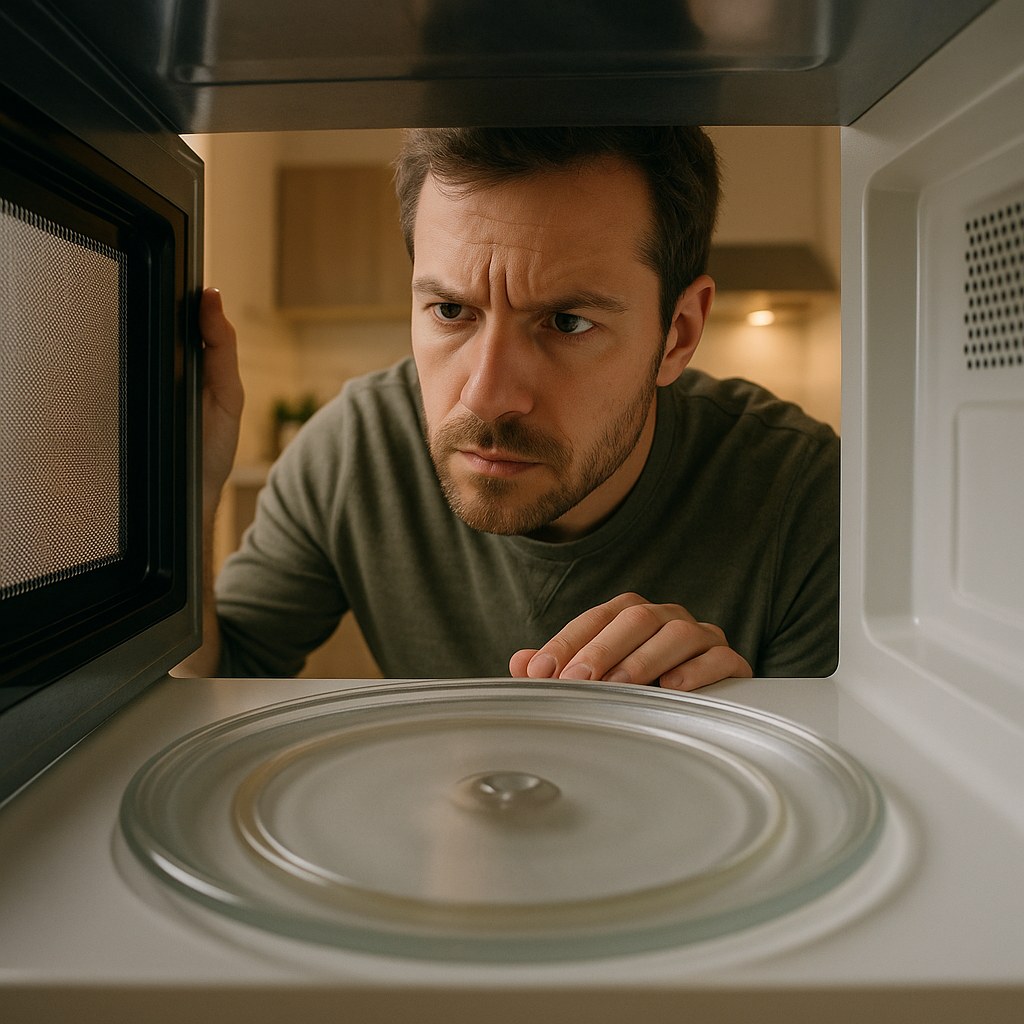
Why Isn't My Microwave Plate Turning?
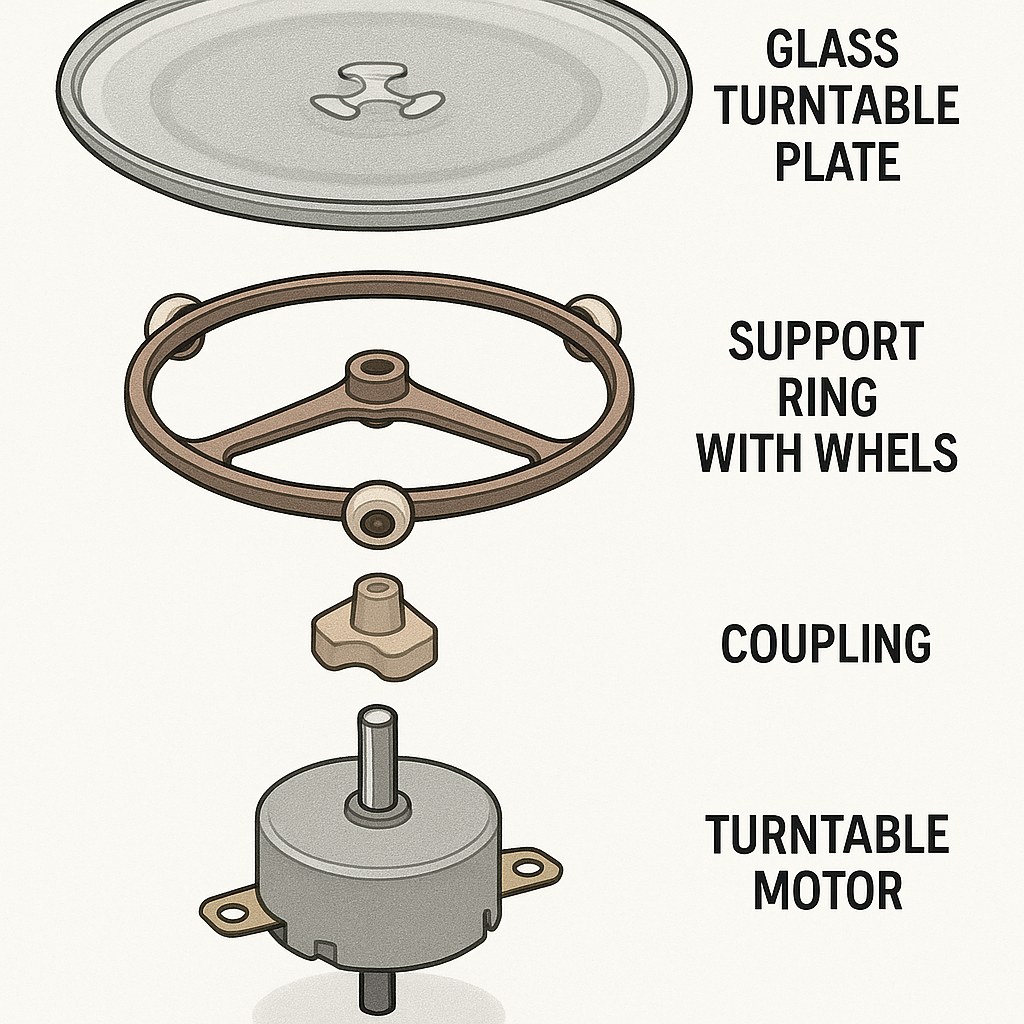
Before we begin, it helps to understand the few parts that make the turntable work. A small motor under the oven floor turns a small plastic piece called a coupler. The coupler grips the glass tray and spins it on a roller ring.
The most common reasons for a turntable to stop working are:
- The turntable setting is off: Many microwaves have a feature to disable the rotation.
- Parts are dirty or misaligned: Spilled food or a jostled tray can jam the mechanism.
- A part is broken: The glass tray, roller ring, or coupler can crack or wear out over time.
- The drive motor has failed: This is less common, but it can happen.
Let’s go through the troubleshooting process step by step.
How to Fix a Microwave Turntable
For these steps, you will only need a few basic cleaning supplies, like a cloth and some dish soap.
Step 1: Check the Control Settings
Some microwaves allow you to turn the turntable function off, which is useful for large or rectangular dishes. It’s possible this setting was changed by accident.
- Look at the control panel. Find a button labeled “Turntable,” “Rotate,” or something similar. Press it to ensure the feature is set to “On.” On some models, this option might be inside a “Settings” or “Options” menu.
- Run a quick test. Place a microwave-safe cup half-filled with water on the turntable. Close the door and run the microwave on high for 15-20 seconds.
- Watch the tray. If it rotates, your problem is solved! You may have accidentally turned the feature off.
If the turntable still doesn’t move, let’s move on to the next step.
Step 2: Clean and Reseat the Turntable Parts
Food debris, grime, or a part that’s slightly out of place can easily stop the tray from spinning. A thorough cleaning and proper reassembly is often all that’s needed.
This is safe to try yourself. Just be sure to unplug the microwave first.
- Unplug the microwave from the wall. This is an important safety step before you put your hands inside.
- Remove the parts. Carefully lift the glass turntable tray out. Then, take out the circular roller ring it sits on. Finally, the small, three-pronged turntable coupler in the very center should lift straight up off its metal spindle.
- Clean everything. Wipe down the inside floor of the microwave, paying special attention to the groove where the roller ring sits. Wash the tray, roller ring, and coupler with warm, soapy water and dry them completely.
- Inspect and reassemble. Place the coupler back onto the metal spindle, making sure it sits flat. Set the roller ring back into its circular track. Finally, place the glass tray back on top, ensuring the grooves in the center of the tray lock into place with the coupler.
- Test it again. Plug the microwave back in. Place the cup of water inside and run it for 15-20 seconds.
If the tray now spins, the problem was likely just a bit of debris or a misaligned part. You can keep track of your appliance manuals and model numbers in the Casa app, which makes it easier to reference part diagrams if you’re ever unsure about reassembly.
Step 3: Inspect for Damaged Parts
If cleaning didn’t solve the issue, a component may be cracked or worn out.
When to stop: If you inspect the parts and find no visible damage, the problem is likely the drive motor. Do not attempt to open the microwave casing to access the motor. This is a job for a professional due to the risk of serious electrical shock from the high-voltage capacitor, even when the unit is unplugged.
- Unplug the microwave again.
- Remove the tray, roller ring, and coupler.
- Examine each part carefully:
- Glass Tray: Look for cracks or chips, especially on the grooved center section on the bottom.
- Roller Ring: Check for cracks, flat spots on the wheels, or broken wheels that would prevent it from rolling smoothly.
- Coupler: This plastic piece takes the most stress. Look closely for cracks or check if the splines inside (the part that grips the motor spindle) are stripped or worn down.
If you find a damaged part, you’ve likely found your problem. You can order a replacement online using your microwave’s model number, which is usually found on a sticker inside the door.
Once the new part arrives, install it, reassemble the turntable, and run one final test. If it spins, you’ve fixed it.
When to Call a Professional
If you have cleaned and reseated all the parts, confirmed they are not damaged, and the turntable still won’t rotate, the issue is almost certainly the drive motor. The same is true if you replaced a broken part and the turntable still doesn't spin.
At this point, it is time to call an appliance repair technician. They have the training and tools to safely access and replace the internal motor.
Typical Time and Cost
-
DIY Fix:
- Time: 15-20 minutes for checking, cleaning, and inspecting.
- Cost: If you need a replacement part, costs are generally low. A new coupler or roller ring often costs between $10 and $20. A replacement glass tray can range from $20 to $50, depending on the model.
-
Professional Repair:
- Time: A service call may take a few days to schedule.
- Cost: Hiring an appliance technician to replace a drive motor can cost anywhere from $100 to $250, including the service call fee, parts, and labor. Given that many new microwaves cost a similar amount, it’s worth considering whether a repair or a replacement makes more financial sense, especially if your appliance is older.
Ready for What's Next
A non-spinning microwave turntable is a fixable problem. By following these simple diagnostic steps, you can identify the cause and, in most cases, solve it yourself without spending much time or money. Knowing when to stop and call for help is just as important, ensuring you stay safe.
Managing a home means handling these small repairs with confidence. Download the Casa app to get clear guidance for your home maintenance, track repairs, and connect with trusted pros when you need them.