Updated Nov 23, 2026
How to Fix a Ceiling Fan Light That Won't Turn On
Ceiling fan spins but the light stays off? Check the breaker, switch, dimmer and remote, then replace the bulb, and know when to call.
When the fan spins but the light stays off, the cause is usually simple: a burnt-out bulb, a dimmer or remote setting, or a pull chain stuck between positions. These checks are safe and take about 20 minutes. None of them involves opening the fan housing or touching wires.
Looking for more guidance? Take a look at our Repairs overview.
Why Isn't My Ceiling Fan Light Working? Common Culprits
Most of the time, the issue boils down to one of these four things:
- A Power Problem: A tripped circuit breaker is a frequent offender. If both the fan and the light are dead, this is the first place you should look.
- A Control Issue: The problem could lie with the wall switch, dimmer, remote control, or pull chain that operates the light.
- A Burnt-Out Bulb: This is the most obvious and easiest fix. Light bulbs don’t last forever, and it’s often the first component to fail.
- Faulty Wiring or Socket: In some cases, the issue might be a loose wire or a faulty light socket within the fan's housing. This is less common but still a possibility.
The steps below go in order, simplest first.
Step-by-Step Guide to Fixing Your Fan Light
Step 1: Check the Power at the Source
Make sure the fan is actually getting power. This step is especially important if both the fan and the light have stopped working. If the fan still spins, you can likely skip ahead to Step 2, but it never hurts to be thorough.
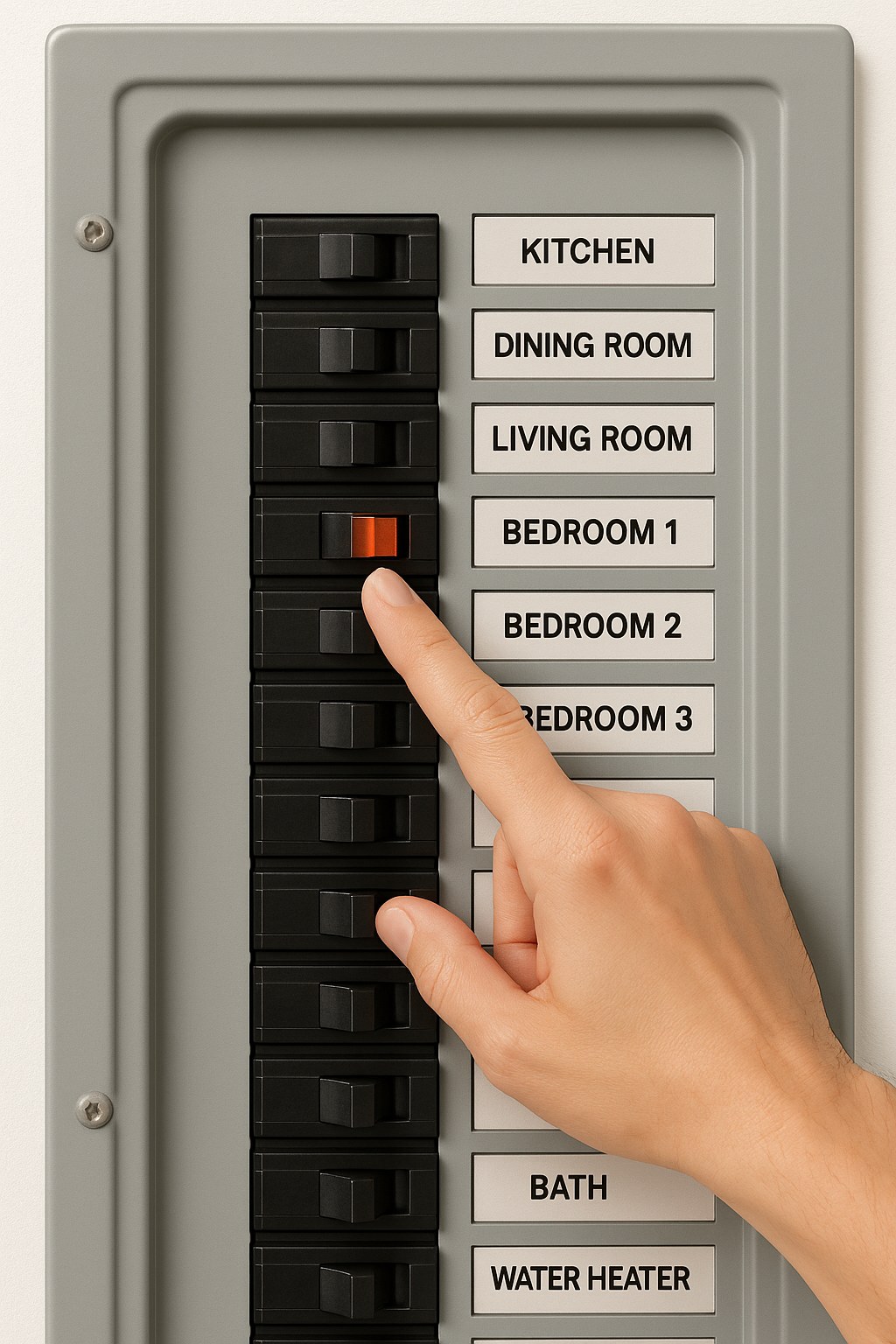
- Safety First: Go to the wall switch that controls the ceiling fan and flip it to the "OFF" position.
- Locate Your Circuit Breaker Panel: You’ll usually find it in the basement, garage, a utility closet, or hallway.
- Look for a Tripped Breaker: Scan the rows of switches. A tripped breaker will be positioned in the middle, between the "ON" and "OFF" positions, and may have a small red or orange window showing. Look for the breaker labeled for the room your fan is in (e.g., "Living Room," "Master Bedroom").
- Reset the Breaker: To properly reset it, you must first push the breaker switch firmly to the full "OFF" position. Then, flip it back to the "ON" position. You should hear a solid "click."
- Test It Out: Head back to the room, flip the wall switch back on, and see if the light now works.
If resetting the breaker brought your light back to life, you’re all set! If the breaker trips again, leave it off and call an electrician. If the breaker was fine and the light is still off, let's move on to the controls.
Step 2: Troubleshoot the Controls
The next steps depend on how you turn the light on and off: a wall switch, or a remote or pull chain.
For Lights Controlled by a Wall Switch or Dimmer
If you use a standard wall switch, sometimes the simplest solution is the right one.
- Cycle the Switch: Flip the light switch on and off a few times. It sounds silly, but switches can sometimes get stuck or have poor contact. Make sure you leave it firmly in the "ON" position.
- Check the Dimmer: If you have a dimmer switch, make sure it’s turned all the way up to maximum brightness. It's surprisingly easy to accidentally turn a dimmer all the way down, making it seem like the light is broken.
If a quick fiddle with the switch or dimmer solves the problem, great! If not, the bulb is our next suspect.
For Lights Controlled by a Remote or Pull-Chain
Remote controls and pull chains introduce a few extra variables.
- Ensure the Wall Switch is ON: Many remote-controlled fans are still powered by a main wall switch. Make sure that switch is flipped on, or the remote won’t work at all.
- Check the Remote Batteries: This is the number one cause of remote-controlled light failure. Pop open the battery compartment and install a fresh set.
- Test the Pull-Chain: Give the light's pull chain a couple of firm, distinct tugs. The internal switch mechanism can sometimes get stuck between settings. Pull it once or twice to cycle it to the "ON" position.
If new batteries or a pull on the chain does the trick, you've solved it. If you're still in the dark, it’s time to look at the bulb itself.
Step 3: Replace the Light Bulb
A burnt-out bulb is the most common reason for a fan light to stop working. Here’s how to safely replace it.
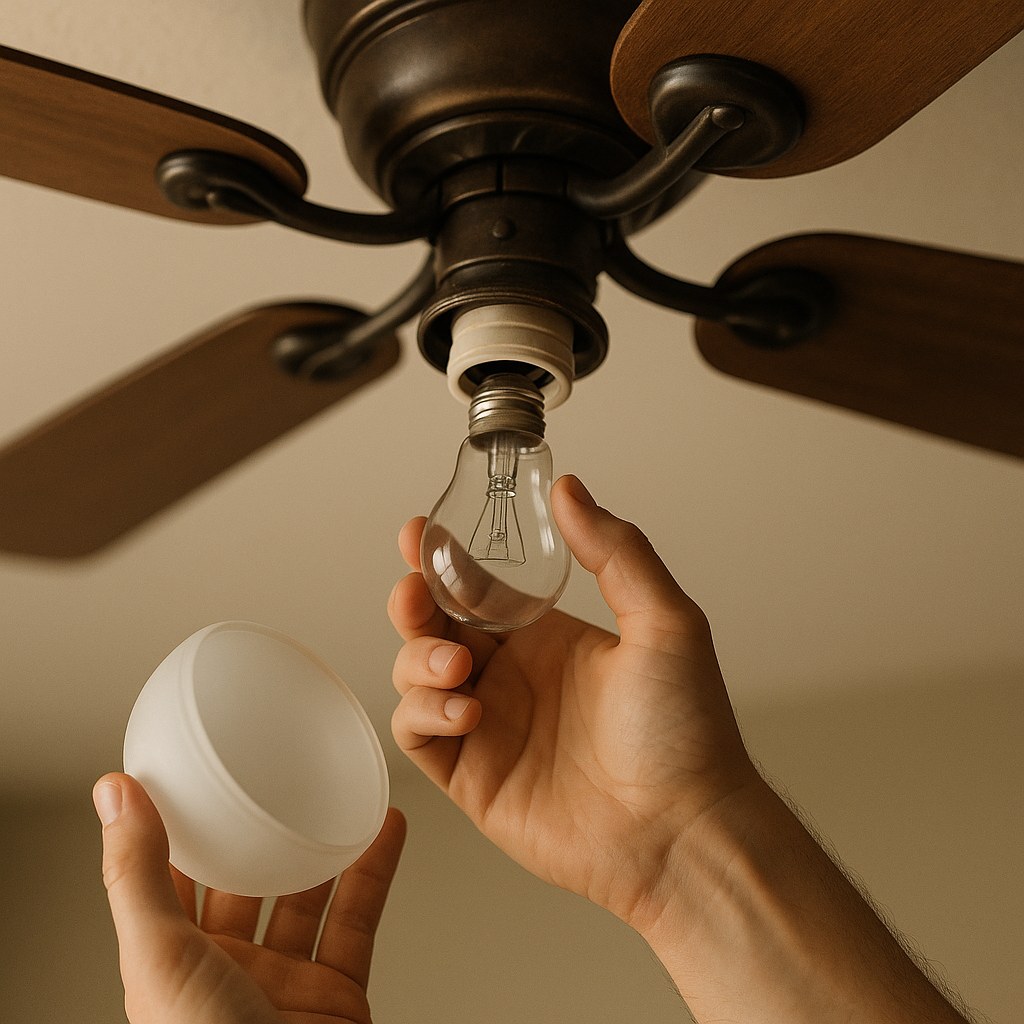
- Turn Off All Power: Flip the wall switch off. Wait for the fan blades to come to a complete stop before you begin.
- Remove the Globe or Shade: Most ceiling fan light kits have a glass globe or shade held in place by several small thumbscrews. Carefully loosen these screws (you might need a flathead screwdriver) until you can gently remove the globe. Be sure to support it with your other hand so it doesn't fall.
- Unscrew the Old Bulb: Turn the old bulb counter-clockwise to remove it. Take a quick look—does the filament inside look broken? Is there a dark or cloudy spot on the glass? These are sure signs of a dead bulb.
- Install the New Bulb: Screw in a new, compatible light bulb, turning it clockwise until it's snug. Be careful not to overtighten it.
- Re-attach the Globe: Carefully replace the globe, tightening the screws until they are secure but not overly tight. Use a bulb at or below the fan's wattage limit.
- Test: Turn the wall switch back on and try the light.
When to Call a Professional Handyman
If you've checked the power, tested the controls, and installed a brand-new bulb, but the light still won't turn on, you may be dealing with a more complex issue. These problems often involve the fan's internal wiring and are best left to a professional:
- A faulty light socket.
- A broken pull-chain switch mechanism.
- A bad wire connection inside the fan housing.
- A failed wattage limiter (a safety device in some modern fans).
At this point, call an electrician. Don't open the fan housing or handle wires yourself.
How Much Does It Cost to Fix a Fan Light?
The DIY fix is a new bulb or fresh remote batteries, which are inexpensive. If it needs an electrician, Thumbtack data puts ceiling fan jobs at $194 to $657 per job, and lighting work at $193 to $653. Ask for any minimum service fee before the visit.