

Jan 3, 2026
How to Install a Smart Thermostat A DIY Guide
Ready to upgrade to a smart thermostat? This DIY guide walks you through checking compatibility, understanding your system's wiring (including the C wire), and installing your new device on both conventional and heat pump systems. Save energy and add convenience with our step-by-step instructions.
Upgrading to a smart thermostat is one of the best improvements you can make to your home. It’s a fantastic way to increase your comfort, gain remote control over your home's climate, and significantly lower your energy bills. In fact, according to ENERGY STAR, homeowners can save an average of $50 per year on energy costs with a certified smart thermostat. It's an investment that truly pays for itself.
Looking for more guidance? Take a look at our Repairs overview.
But the idea of messing with wiring can seem intimidating. Don't worry, we're here to help. For many homeowners, installing a smart thermostat is a perfectly manageable DIY project that can be completed in under an hour. Think of me as your friendly expert on the other end of the line, ready to walk you through it.
In this guide, we'll cover everything you need to know, from checking if your system is compatible to connecting the final wire. Let's get started!
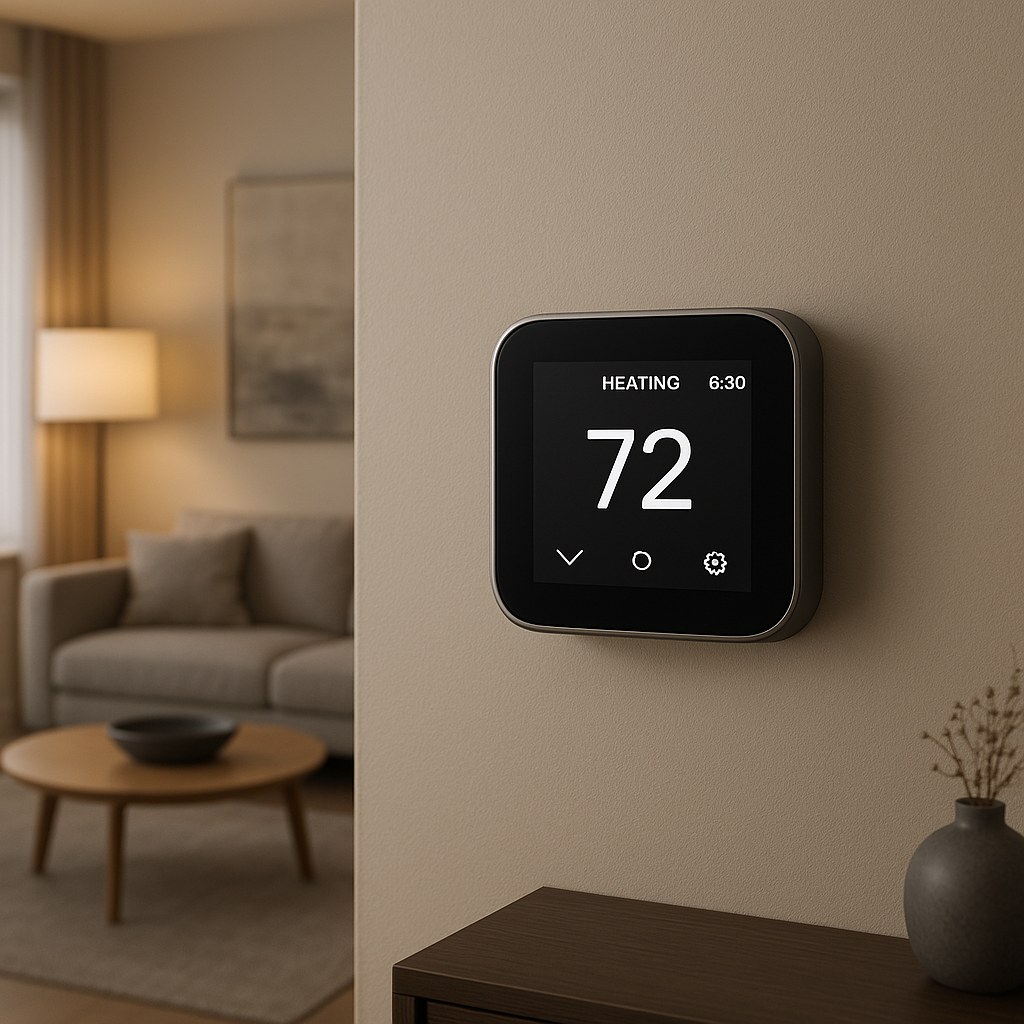
Why Go Smart? The Benefits of a Modern Thermostat
Before we grab the screwdriver, let's quickly recap why this upgrade is so worthwhile:
- Energy Savings: Smart thermostats learn your schedule and preferences, automatically adjusting the temperature to save energy when you're away or asleep.
- Convenience: Adjust your home's temperature from anywhere using your smartphone. Coming home early? Turn on the AC from the car so it's cool when you arrive.
- Smart Home Integration: Most models work with voice assistants like Alexa and Google Assistant, allowing you to control the climate with a simple voice command.
- Usage Reports: Get detailed reports on your energy consumption, helping you identify more ways to save money.
Step 1: Check Compatibility and Power Down
The single most important step in this entire process happens before you even open the box for your new thermostat. We need to make sure your HVAC system can support it. The main thing we're looking for is a special wire called a "C wire."
What is a C Wire and Why Do You Need It?
The "C" stands for "Common." Think of it as the dedicated power source for your smart thermostat. Unlike old mercury or battery-powered thermostats, smart thermostats have Wi-Fi radios, bright screens, and powerful processors that need a continuous flow of electricity. The C wire provides this constant 24V power from your HVAC system.
Without a C wire, your smart thermostat might try to steal tiny sips of power from other wires, which can lead to system malfunctions or a device that just won't turn on.
How to Check for a C Wire
Let's do a little detective work. It only takes a few minutes.
- Safety First! Turn Off the Power: Go to your home's main electrical panel (also called a breaker box). Find the circuit breaker that controls your HVAC system (it might be labeled "HVAC," "Furnace," "Air Handler," or "AC"). Flip it to the "OFF" position. To be extra sure, try adjusting your current thermostat—if the system doesn't kick on, you've successfully cut the power.
- Remove Your Old Thermostat's Faceplate: Most thermostat covers simply pop off when you pull them gently. Some may have a small screw or tab at the bottom.
- Inspect the Wiring: Now, look at the wires connected to the terminal screws on the wall plate. You'll see letters next to each screw. You are looking for a wire connected to a terminal labeled "C."
If you see a wire in the "C" terminal, great news! You're ready to proceed with the installation.
If you don't see a C wire, you have a few options. Some thermostats come with a power adapter kit that can work around the issue. However, the most reliable solution is to have an HVAC technician run a new wire. It's a common job for a pro and ensures your new device will work flawlessly.
Step 2: Label Everything and Remove the Old Thermostat
Now that the power is off and we've confirmed our wiring, it's time to get the old unit off the wall. This is another critical step, so don't rush it!
- Take a Picture: Before you disconnect a single wire, take a clear photo of the current wiring setup with your phone. This is your ultimate backup plan if you get confused later.
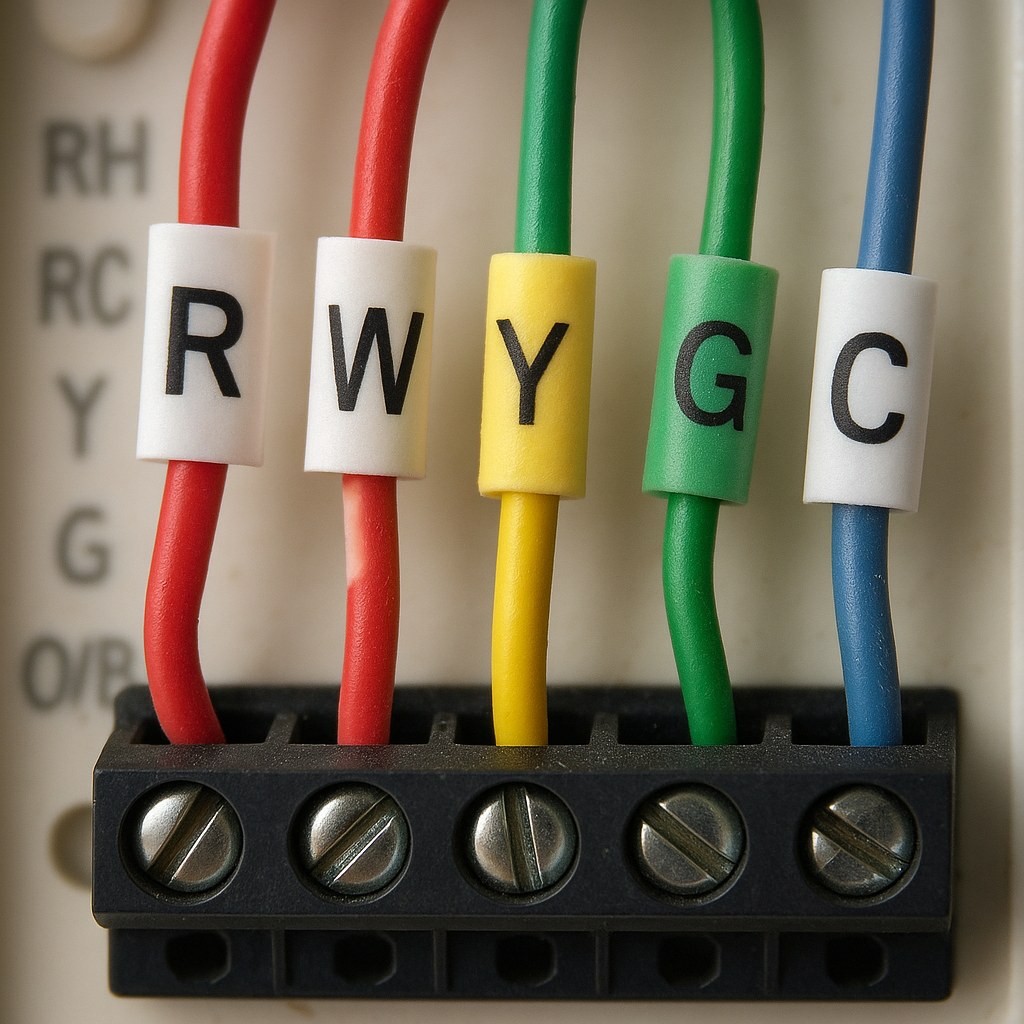
- Label Each Wire: Your new smart thermostat came with a sheet of little stickers. Use them! Place the corresponding label on each wire before you unscrew it from the terminal. For example, the wire connected to the "R" terminal gets the "R" sticker.
- Disconnect the Wires: Once every wire is labeled, use a Phillips head screwdriver to loosen the terminal screws and gently pull the wires free.
- Unscrew the Old Wall Plate: With the wires disconnected, unscrew the old thermostat base from the wall and carefully guide the wires through the opening.
Step 3: Install Your New Smart Thermostat
Here's where it all comes together. We'll split this section based on your HVAC system type, as the wiring can be slightly different.
For Conventional Systems (Furnace, Boiler, Central AC)
A conventional system is the most common type in North America. It typically includes a furnace for heat and a central air conditioner for cooling.
- Mount the New Wall Plate: Thread the labeled wires through the center of the new wall plate. Use the built-in level to make sure it's straight, and then screw it securely to the wall.
- Connect the Wires: This is the moment of truth. Match your labeled wires to the corresponding terminals on the new wall plate. Here’s a common configuration:
- R (or Rh/Rc): Power from the transformer
- W: Controls your heating
- Y: Controls your air conditioning
- G: Controls the fan
- C: The Common wire for continuous power
- Attach the Display: Gently push any excess wire back into the wall. Align the new smart thermostat display with the wall plate and snap it into place. You should hear a satisfying click.
For Heat Pump or Dual Fuel Systems
Heat pumps are super-efficient systems that can both heat and cool your home. Dual fuel systems pair a heat pump with a backup furnace. The wiring is slightly different.
- Mount the New Wall Plate: Same as above, feed the wires through, level the plate, and screw it to the wall.
- Connect the Wires: In addition to the standard wires, you'll have a few unique to heat pumps.
- O/B: This wire controls the reversing valve, which switches the system between heating and cooling modes.
- Y: Engages the compressor.
- G: Controls the fan.
- C: Your Common wire.
- R: Power.
- AUX (or W2): Controls your auxiliary or emergency heat (often the backup furnace in a dual fuel system).
- Match each labeled wire to its new terminal.
- Attach the Display: Align the display with the plate and click it securely into place.
Step 4: Power Up, Set Up, and Test
The physical installation is done! Now let's bring it to life.
- Restore Power: Go back to your electrical panel and flip the HVAC breaker back to the "ON" position.
- Follow On-Screen Prompts: Your new thermostat should power on and greet you with a setup wizard. This is where you'll connect it to your home's Wi-Fi network and tell it what kind of system you have (select "Conventional," "Heat Pump," etc., based on your wiring).
- Test the System: Once setup is complete, test both the heating and cooling. Set the thermostat to "Heat" and raise the temperature a few degrees. You should hear the heat kick on. Then, switch to "Cool," lower the temperature, and confirm that cold air is blowing.
What If It Doesn't Work?
If the thermostat doesn't power on or your system isn't responding, don't panic.
- Check the Breaker: Make sure the breaker is fully in the "ON" position.
- Check the Wires: Power the system back down at the breaker, remove the thermostat display, and double-check that each wire is securely seated in its terminal. Compare it against the photo you took earlier.
- Call for Backup: If you've checked everything and are still stuck, it's time to call a professional. An HVAC technician can diagnose tricky wiring issues and ensure your system is set up for optimal performance. The cost for a professional installation typically ranges from $100 to $250, a small price for peace of mind.
Enjoy Your Smarter Home
Congratulations! You've successfully installed your new smart thermostat. You're now on your way to a more comfortable, convenient, and energy-efficient home. Take some time to explore the features in the companion app, set up schedules, and watch the savings roll in.
For more helpful DIY guides, home maintenance reminders, and a direct line to trusted, vetted professionals for the jobs you can't handle alone, download the Casa app today. We're dedicated to making homeownership simple and stress-free.