

Dec 10, 2025
Why Your Electric Stove Burner Light Wont Turn Off And How To Fix It
An electric stove's burner indicator light that won't turn off can be unsettling. This guide walks you through the simple, safe steps to diagnose and fix the issue, from checking for residual heat to resetting the system.
You’ve finished cooking, cleaned the kitchen, and are ready to relax. But as you walk past your electric stove, you notice something odd: the little red "Burner On" indicator light is still glowing. You double-check the knobs, and they’re all firmly in the “Off” position. So, what’s going on? Is the stove still on? Is it a safety hazard?
Looking for more guidance? Take a look at our Repairs overview.
First, take a deep breath. A stove indicator light that won’t turn off is a very common issue, and more often than not, it’s a simple fix that you can handle yourself without needing to call a professional. It's usually caused by a minor glitch, a stuck switch, or even a misunderstanding of your stove's safety features.
Here at Casa, we believe in empowering you to be the hero of your home. We're here to walk you through the troubleshooting process step-by-step, just like a friendly expert on the phone. Let’s figure this out together and get that light to turn off.
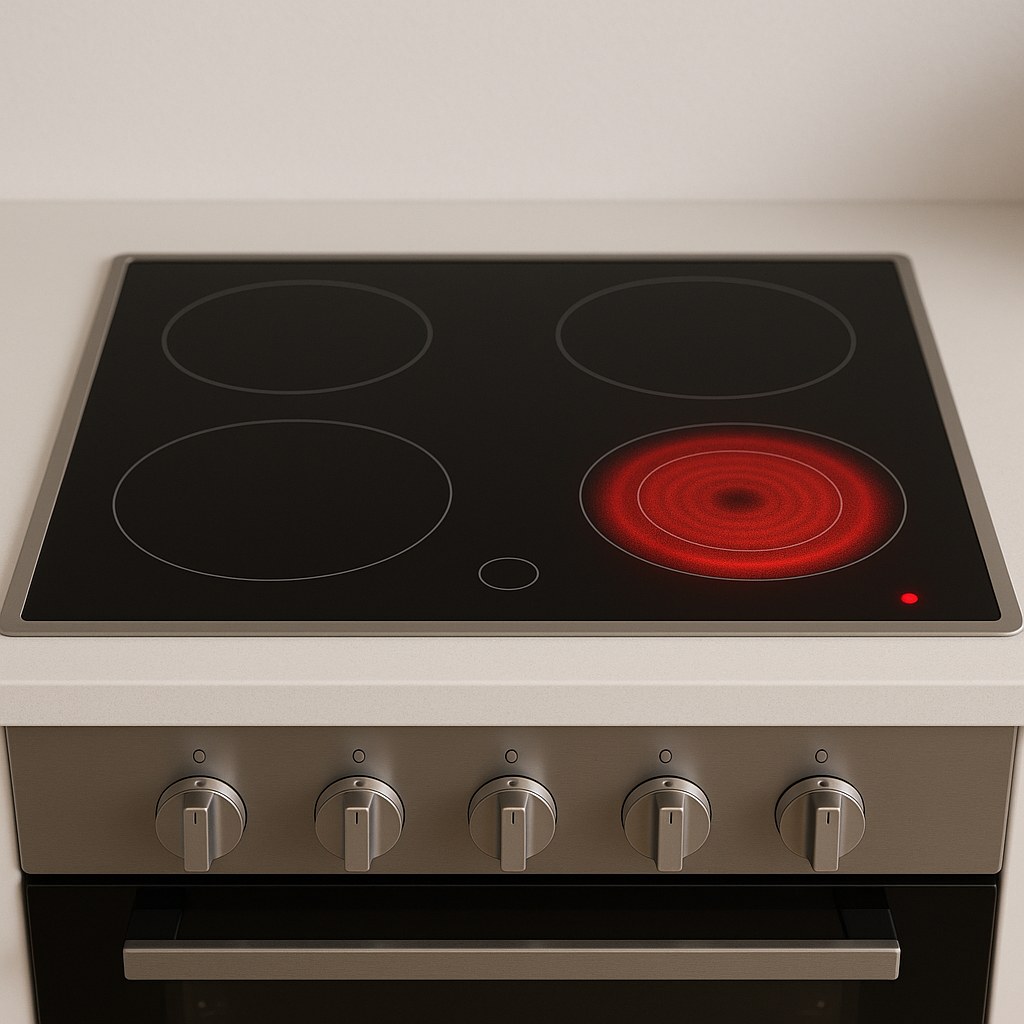
Understanding Your Stove’s Indicator Lights
Before we dive into the fixes, it’s important to know that many modern electric stoves have two different types of indicator lights. Confusing them is a common source of worry.
- Burner On Light: This light tells you that a specific burner control knob is turned on and is actively sending power to a heating element. If this light is on, but the knobs are off, you have an issue we need to solve.
- Hot Surface Light: This is a crucial safety feature. It illuminates when a burner has been used and the glass or coil cooktop is still dangerously hot to the touch. This light is designed to stay on long after you’ve turned the burner off, only extinguishing once the surface has cooled to a safe temperature.
If it’s the "Hot Surface" light that's on, and you were recently cooking, you likely have nothing to worry about! But if it’s the "Burner On" light, or if the "Hot Surface" light stays on for hours after the stove is completely cool, let’s get to troubleshooting.
Step 1: Safety First! Confirm the Stove is Cool
Our number one priority is making sure the stove isn’t actually still running. A burner that stays on when it should be off is a serious safety risk.
Here’s how to safely check:
- Visually Inspect the Knobs: Do a quick double-check. Make sure every single burner control knob is physically turned to the “Off” position.
- Look at the Burner Elements: Look closely at the heating elements on the cooktop. None of them should be glowing red. If you see a faint red glow on any burner, there is still power going to it. If this is the case and the knob is off, you should turn off the stove at the circuit breaker and call a professional appliance technician immediately.
- Give It Time to Cool: Turn all knobs to "Off" and wait for at least 30 minutes. This gives the cooktop ample time to cool down from any recent use. Do not place anything on the cooktop during this time.
- Feel for Heat (Safely!): After 30 minutes, carefully hover your hand a few inches above each burner. Do not touch the surface directly. If you can feel any warmth radiating from a burner, it may not be turning off properly. If the cooktop is completely cool to the touch and the light is still on, you can proceed with the next steps.
If the indicator light turned off during this cooling period, congratulations! It was most likely the "Hot Surface" light doing its job perfectly. No repair is needed.
Step 2: Consult the Oracle (Your User Manual)
It might sound too simple, but the answer could be hiding in your stove’s user manual. Some manufacturers design their indicator lights to stay on as a "standby" or "ready" signal.
- Locate Your Manual: Find the paper manual that came with your appliance.
- Find It Online: If you can’t find it, locate the model number of your stove. It's usually on a sticker on the frame of the stove (visible when you open the door or pull out the bottom drawer). A quick search online for "[Your Stove Brand] [Model Number] manual" will usually bring up a digital copy.
- Check the Display/Lights Section: Look for a section describing the functions of the indicator lights. The manual will explicitly state if a light is intended to remain on during certain modes or as a safety warning.
If the manual confirms the light is functioning as designed, you can rest easy. If not, it’s time to try a reset.
Step 3: The Classic Fix—A Power Reset
Have you ever fixed a computer or Wi-Fi router by simply unplugging it and plugging it back in? The same principle can work for your stove. A power reset can clear minor electronic glitches that might be causing the light to stay on.
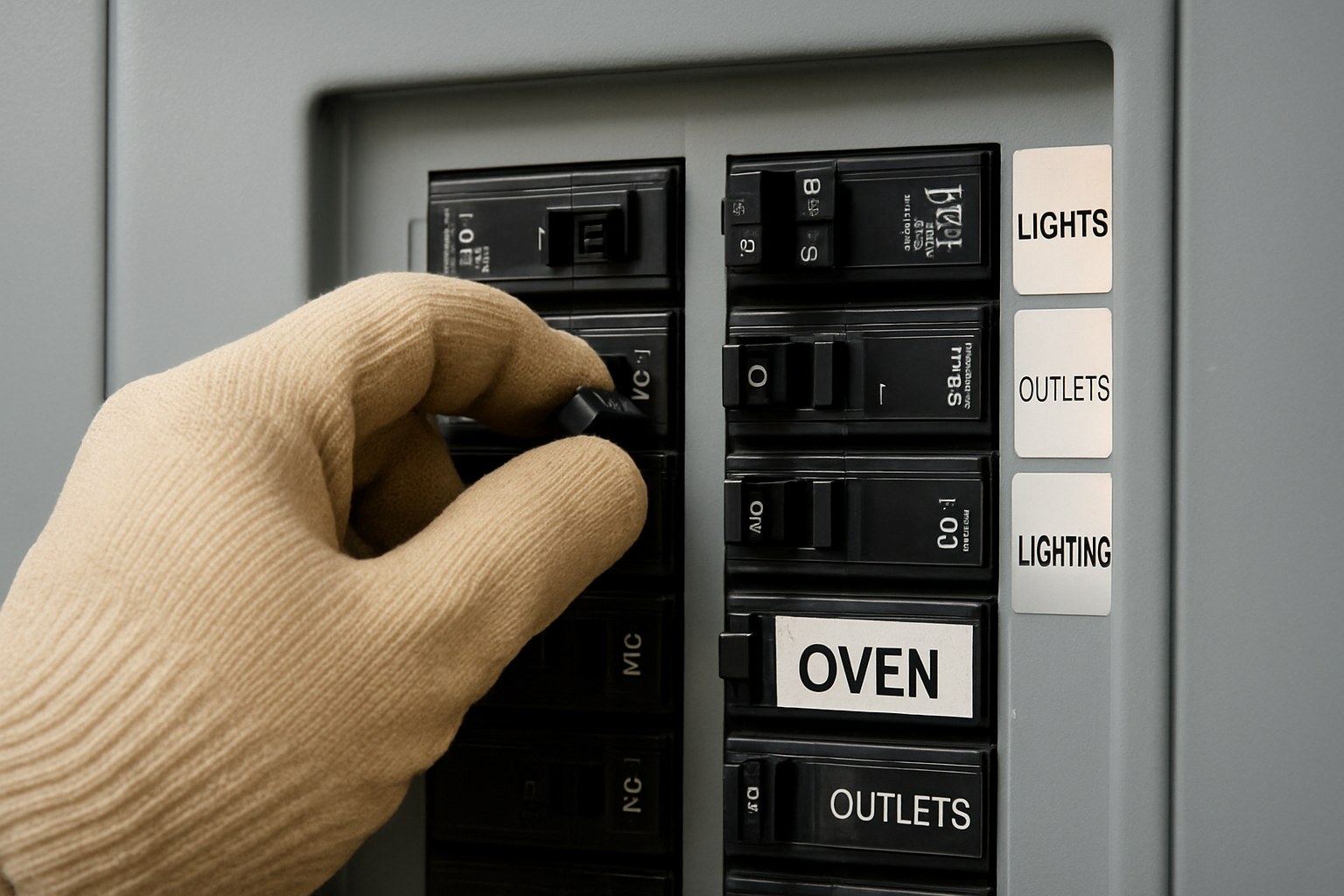
- Find Your Circuit Breaker: Go to your home's main electrical panel (often in the garage, basement, or a utility closet).
- Turn Off the Stove's Breaker: The stove should have a dedicated, large double-pole breaker. It will be labeled "Stove," "Range," or "Oven." Flip it to the “Off” position.
- Wait 60 Seconds: Leave the breaker off for a full minute. This allows any residual power in the stove’s electronic components to fully discharge, ensuring a complete reset.
- Turn It Back On: Flip the breaker back to the “On” position.
- Check the Light: Return to your stove. The indicator light should be off. If it is, you’ve solved the problem!
If the light comes back on immediately after the reset, don't worry. We have one more trick up our sleeve.
Step 4: Exercise the Knobs to Free a Stuck Switch
Behind each burner control knob is a small electrical switch that tells the stove to turn on and illuminates the indicator light. Sometimes, especially with a bit of built-up grease or grime, this switch can get physically stuck in the "On" position, even when the knob itself is turned off.
We can often free this stuck switch by simply working it back and forth.
- Focus on One Knob: Start with one of the burner control knobs.
- Cycle It On and Off: Firmly turn the knob all the way to the “High” setting. You should hear a little "click" as the switch engages.
- Listen for the Click: Now, turn it back to the “Off” position. Listen carefully for another distinct "click." This second click is the switch disengaging. If you don't hear it, the switch might be the problem.
- Repeat for All Knobs: Repeat this process—turning to "High" and back to "Off"—for every single burner knob on your stove, a few times each.
- Observe the Indicator Light: After cycling all the knobs, check the indicator light. If it has turned off, you’ve successfully freed the stuck switch!
When It's Time to Call a Professional
If you've gone through all the steps above—you've confirmed the stove is cool, checked the manual, performed a power reset, and exercised the knobs—and that pesky light is still on, the problem is likely a faulty component. This could be a broken burner switch, damaged wiring, or a problem with the main control board.
At this point, it’s best to call a qualified appliance repair technician. Working with the electrical components of a 240-volt appliance like a stove is dangerous without the proper training and tools.
How much does a professional repair cost? According to HomeAdvisor, an appliance technician typically charges between $100 to $200 for a service call and diagnosis. If the issue is a faulty burner switch, the total cost for the repair, including parts and labor, often ranges from $150 to $300. While it's an expense, it's a small price to pay for safety and peace of mind.

Take Control of Your Home Maintenance with Casa
A stubborn stove light can be a nuisance, but by following these steps, you’ve learned how to safely diagnose and often fix the problem yourself. That’s the power of DIY knowledge!
For every other home challenge that comes your way, from a leaky faucet to a mysterious draft, the Casa app is your ultimate partner. With our easy-to-follow guides, you can tackle hundreds of home repairs with confidence. And if you ever hit a snag or decide a job is better left to a pro, Casa can instantly connect you with a network of trusted, vetted technicians in your area.
Don’t let home maintenance be a source of stress. Download the Casa app today and simplify the way you care for your home.